
Kairi · Sales
Keeps every client relationship alive. Reads inquiries, asks for what's missing, drafts the quote and the reply. You review and send.
From inquiry to paid invoice
Studio OS gives sales, projects and invoicing their own agents. They read, plan and prepare. You approve.



Built on Hiiumaa, for our own company first.
Each agent owns an area, Sven coordinates. By default you review every outward step; you choose what may run automatically.
Reply to Norden's inquiry and prepare a quote.Set phases and deadlines for the terrace project. Prepare Thursday's training session and the slides.
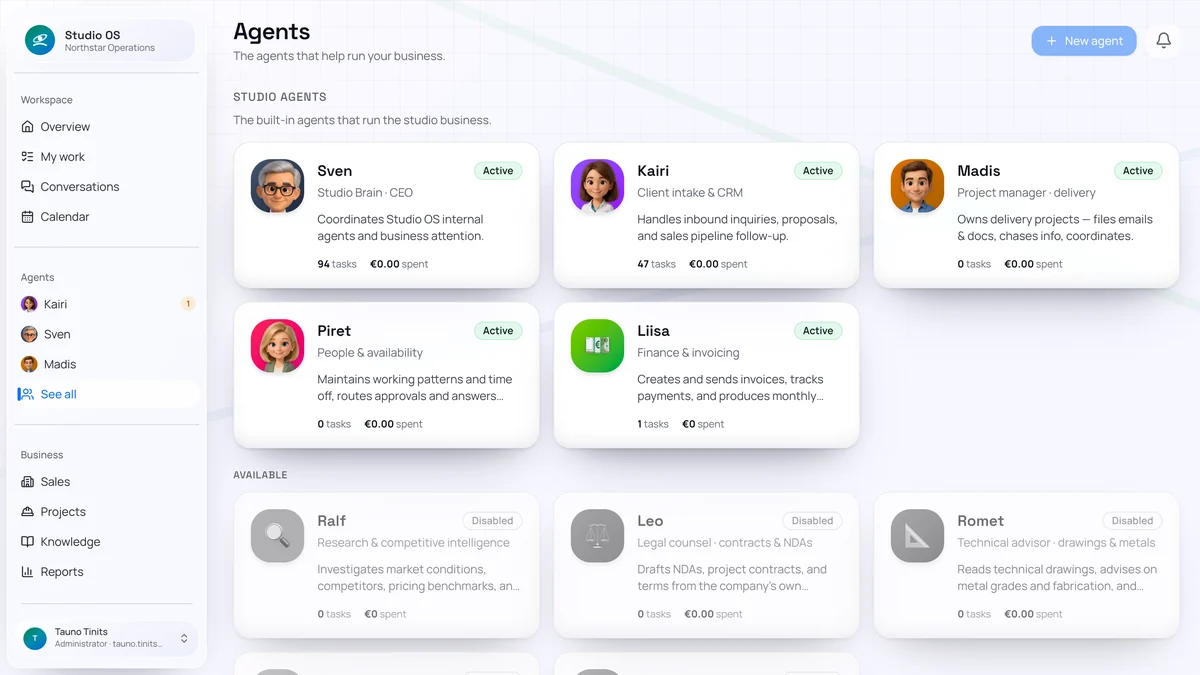
Each agent owns an area of responsibility. Sven coordinates, you see the results on one screen.
Keeps every client relationship alive. Reads inquiries, asks for what's missing, drafts the quote and the reply. You review and send.
Plans as a portfolio. Phases, tasks, deadlines and an honest status for every project. If something slips, you hear before the client asks.
Invoices by the contract. Prepares and sends invoices, follows payments and books purchase invoices to the right account.
Prepares sessions and presentations. Agenda, material and slides in one planning room. You run the session, Maret does the preparation.

Who is available when. Working hours, absences and cover, so a plan never promises more than the team can do.
Reads the state of the company. Delegates to the right agent, answers questions and brings you only the decisions that are yours.
By default you review emails, proposals and invoices before they go out. You choose which actions may run automatically from then on. The agent shows what it wants to do and why. You edit, reject or approve. One click.
Mail, calendar and documents in Google or Microsoft. Accounting in Merit, Odoo or SimplBooks.
Write to Sven in Studio OS chat, by email or on WhatsApp. The answer comes to wherever you are.
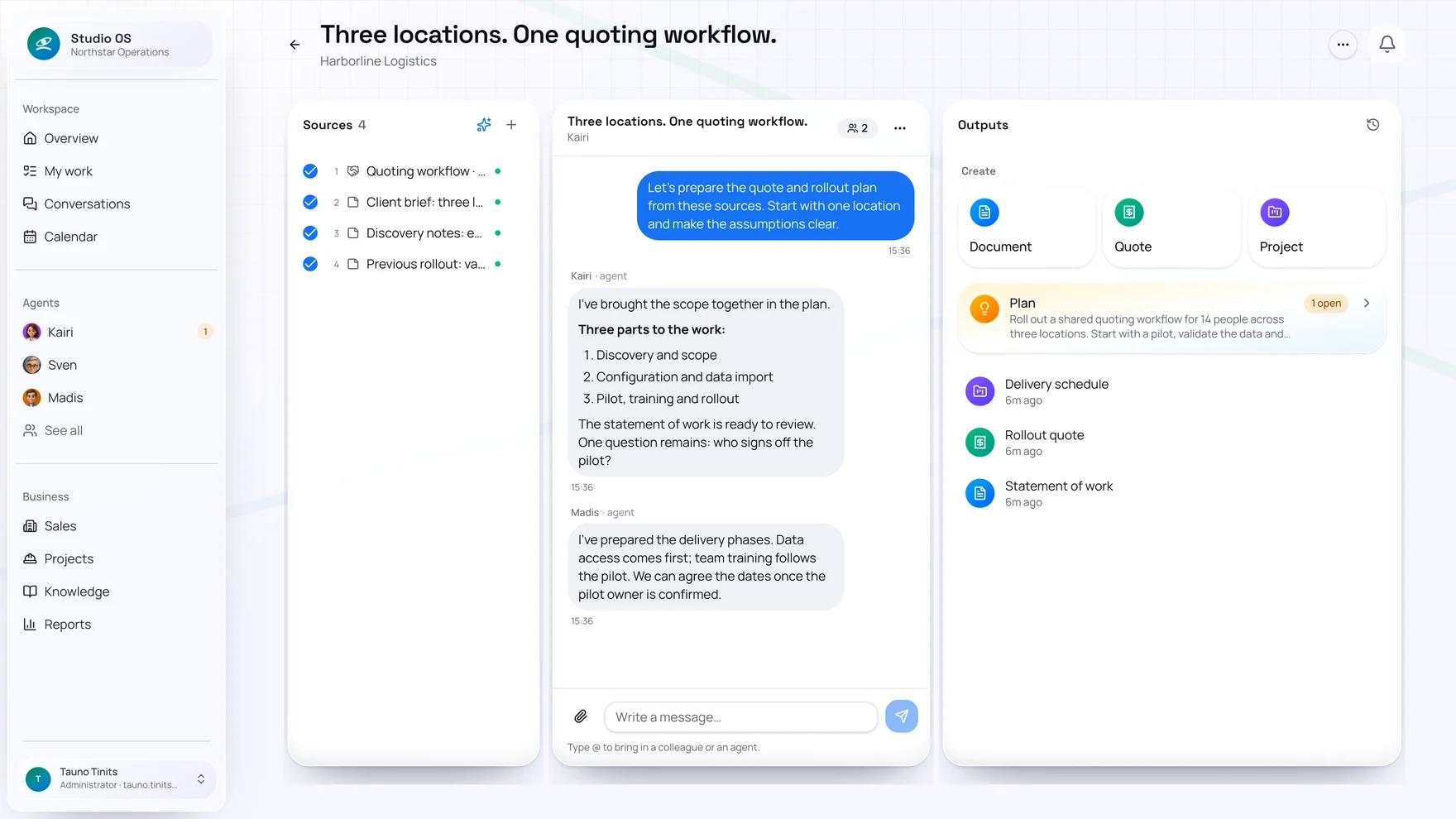
Bring the client's emails and requirements into one room. With Kairi and Madis you settle the scope, the quote and the project schedule.
Turn the company into a machine that never stalls.
Inquiries get answered.
Projects stay on schedule.
Invoices go out on time.
On your approval.
Four things that happen in Studio OS every day.
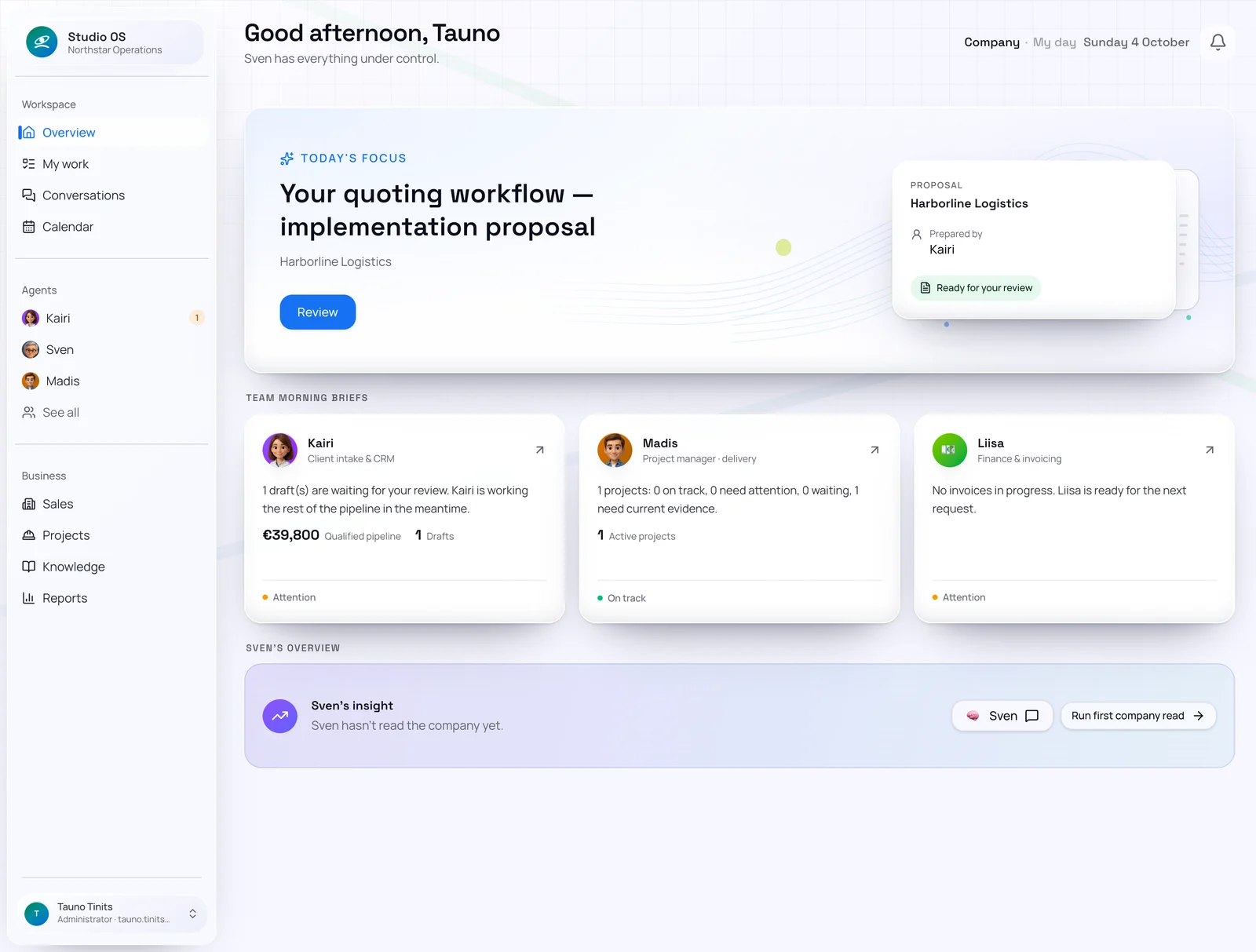
What happened, what waits on your decision and what is behind schedule. Sven reads the state of the company and says what matters today.
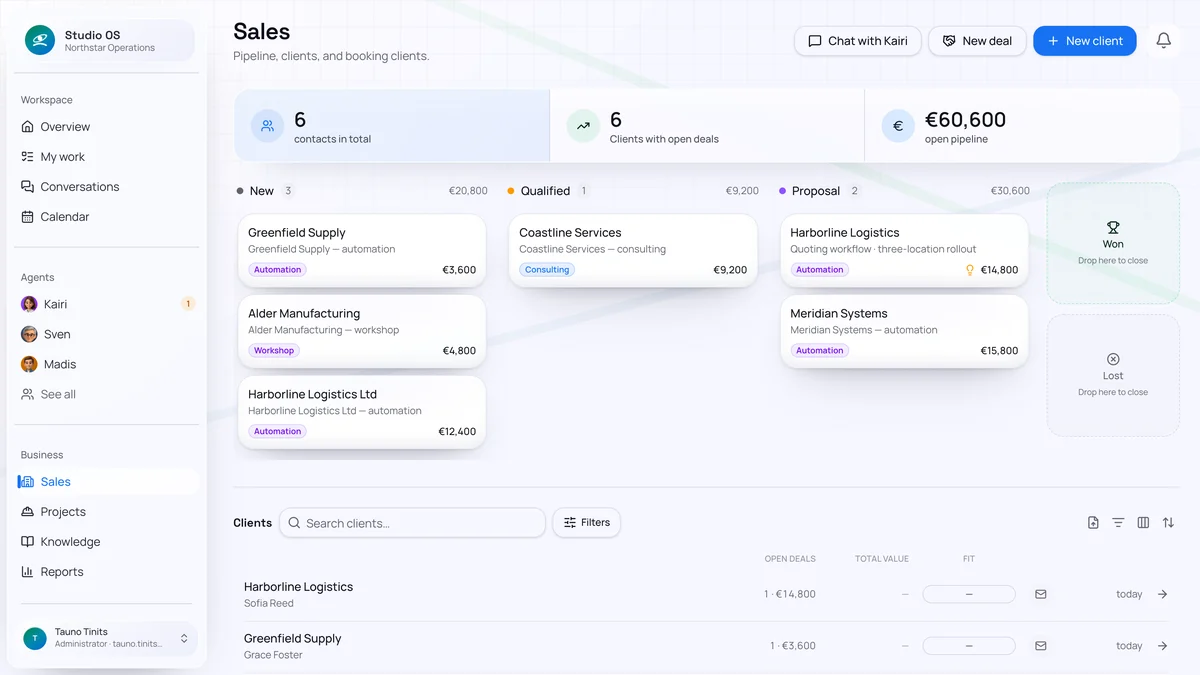
Kairi reads the incoming email, finds or creates the client, asks for what's missing and prepares the quote with its PDF. You see a finished draft, not an empty form.
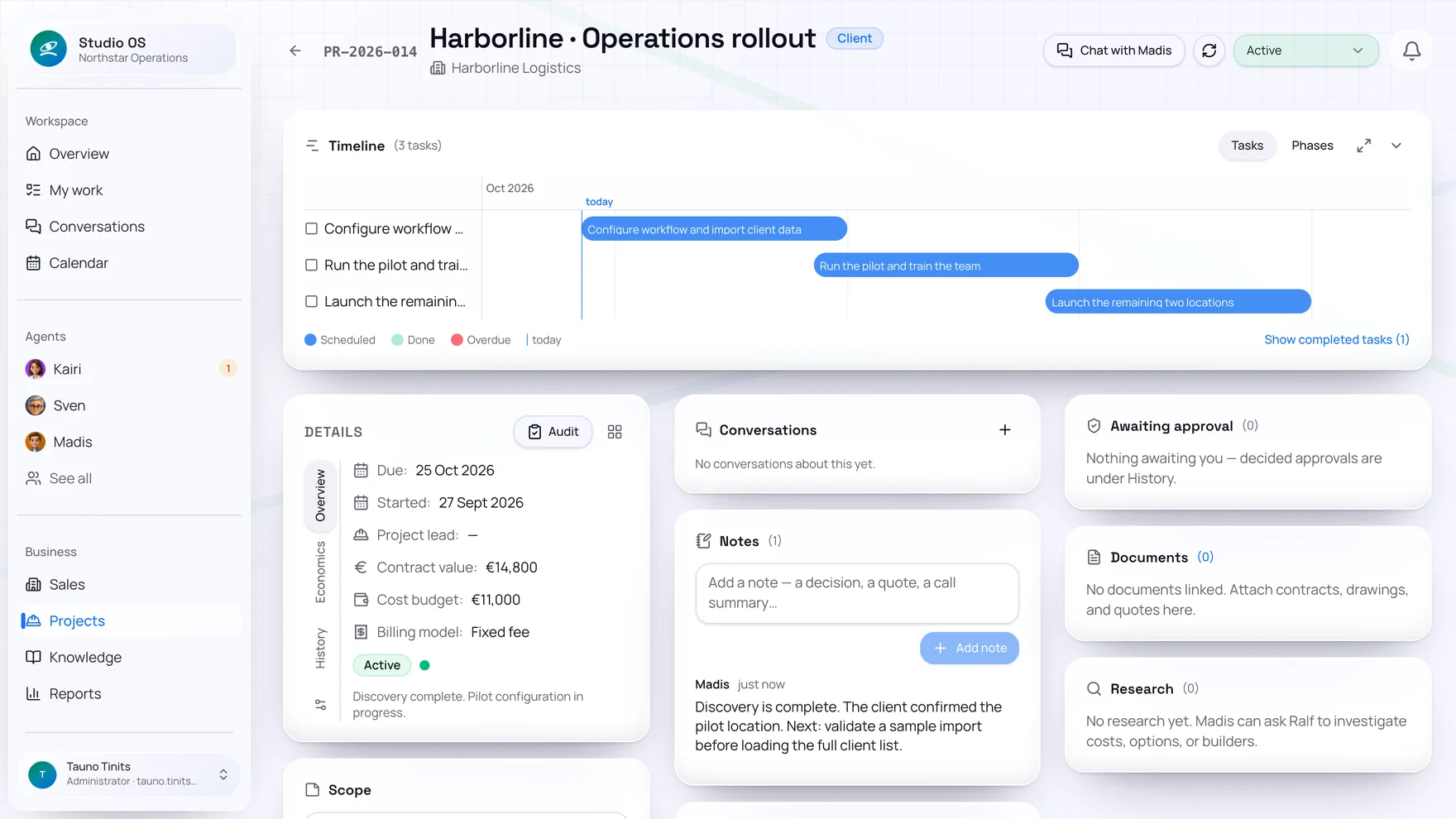
A won quote becomes a project with phases, tasks and owners. Madis keeps the status honest and agrees changes before they alter the plan.
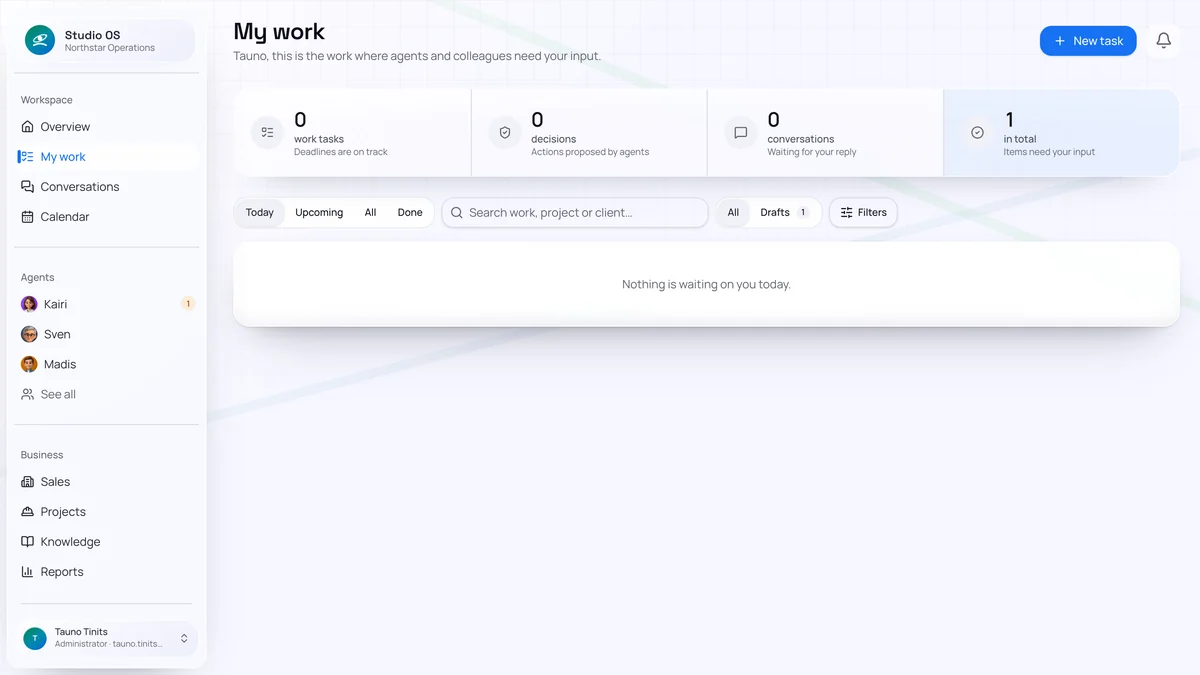
“My work” is the only place you need to look. Every email, invoice and plan waiting for your yes is there. The rest moves on its own.
digital colleagues, each with an area of responsibility. New ones are added as companies need them.
approval list where, by default, you review emails, proposals and invoices before they go out.
accounting integrations plus a built-in ledger.
blank forms. The agent writes, you correct.
Companies using it · measurable outcomes
Three different roles and working days. One shared result: less manual work, clearer decisions and more getting done.
“Sven is now my indispensable right hand and decision partner in both running the company and production.”
“Studio handles my back-office work so I can focus on software development. There are enough projects, the work is planned, and invoices are created and paid.”
“Preparing the materials for my training sessions is now semi-automatic.”
We built Studio OS for our own company first. If our agents cannot carry a client email, deadline or invoice safely to completion, we do not call it a finished solution.
Sales, projects, invoices, documents and calendar. In the same place the agents work.
Google or Microsoft, accounting and calendar. There is no setup: Sven asks about the company himself and the agents start from that.
Everyone gets their own task list and permissions. A project lead sees their projects, the bookkeeper the invoices, the owner everything.
Every company runs in its own separate environment. Client data never crosses tenants or feeds public model training.
The trial opens the full environment. Sven introduces himself on your first sign-in.
The things we get asked most often.
Studio OS is a work-management platform with its own digital team: Kairi handles sales and client relationships, Madis projects, Liisa invoices and finance, Ralf research, Piret people and availability, and Sven coordinates. They read, plan and prepare. By default you review every outward step and choose which ones may run automatically later.
A chatbot answers a question. Studio OS agents are responsible for an area: they have standing duties, watch deadlines, remember the client's history and come to you when something needs a decision. Every agent works with your company's data: CRM, projects, invoices, mailbox and calendar.
Not by default. Emails, invoices, posts and every other outward step go to your approval list first: you see what the agent wants to do and why, and you can edit the draft or reject it. You choose which actions may run automatically later, and the maturity level: human-led, collaborative or AI-led.
Google Workspace or Microsoft 365 (mail, calendar, documents); Merit, Odoo or SimplBooks for accounting (or Studio OS's own ledger); Mautic, LinkedIn and Facebook for marketing. Email can also be forwarded without a connection.
Every company runs in its own environment on a European server. Data is not shared between companies or used to train models. You can take your data with you at any time.
A trial environment is ready in minutes. Sven asks about the company in the first conversations and the agents start from what you tell him. There are no forms to fill in first; you connect the tools you need step by step.